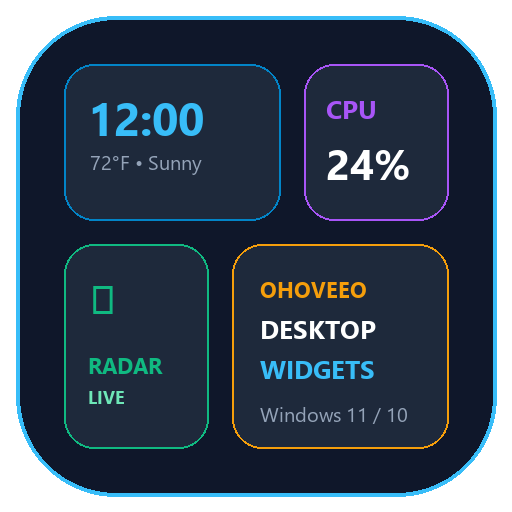
v1.0 RELEASE Desktop Wallpaper Pinned โ€ข Zero Overlay Lag

Transform Your Windows Desktop Into An Interactive Command Center

Modular, live desktop widgets pinned cleanly to your wallpaper behind all open windows (HWND_BOTTOM). Monitor system thermals, track live satellite flight radar, control audio, watch Twitch & Steam, and organize your dayโ€”without ever covering your games or work.

Now Available: Version One (v1.0 Stable Release)
๐Ÿ”’ Pinned to Wallpaper (Never blocks games)
โšก 31 Modular Widgets (Toggle anything)
๐Ÿ–ฅ Multi-Monitor Ready (Ultrawide & 4K)
๐ŸŽจ Visual Customizer (Drag & Nudge)

Designed to Look Stunning on Any Setup

Choose from curated presets or design your own customized layout in seconds.
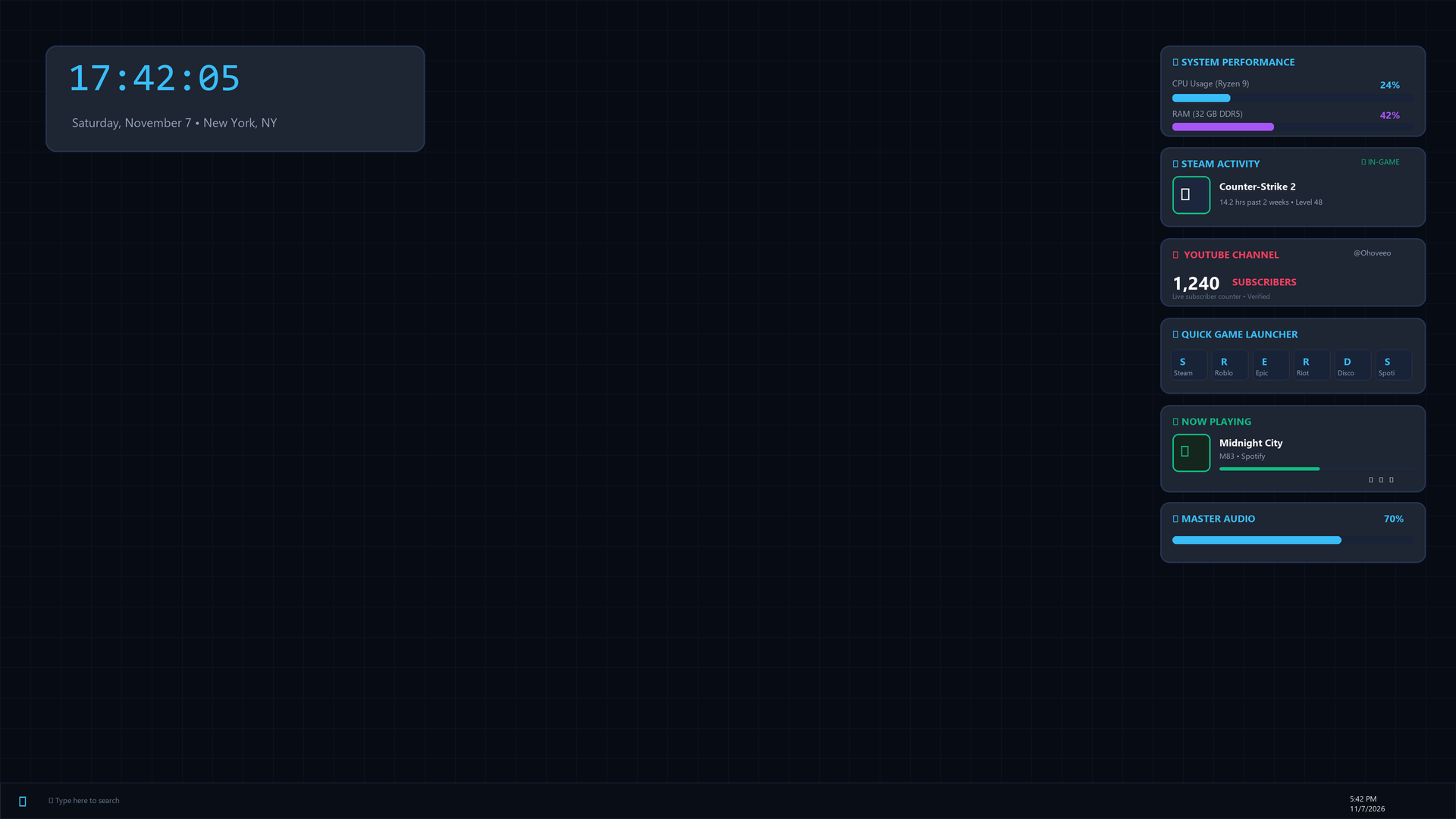
Built Different. Engineered for Gamers & Creators.

Standard widget utilities steal window focus and tank your FPS. Ohoveeo Widgets was built from the ground up to solve that.

Native Wallpaper Pinning (HWND_BOTTOM)

Widgets live permanently on your Windows desktop surface behind Discord, Steam, browsers, and full-screen games. They never steal focus or interrupt your mouse clicks.

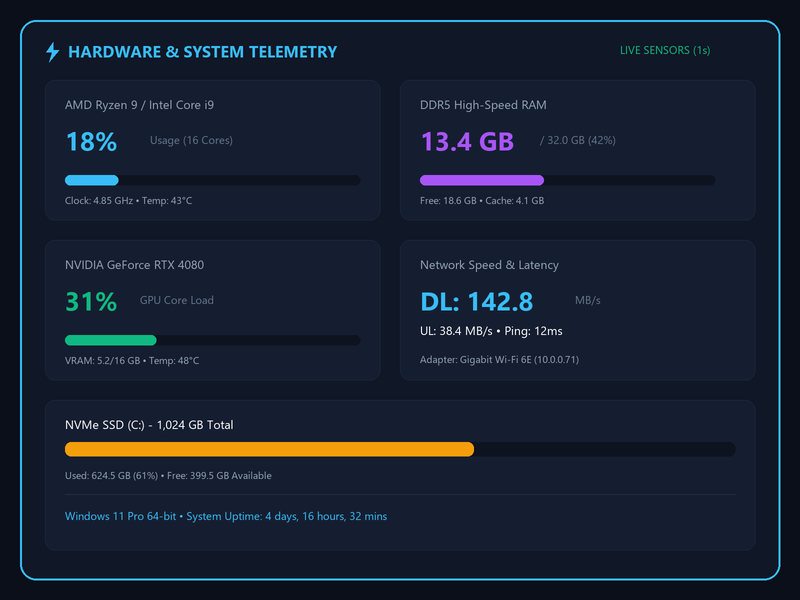
Real-Time Live Telemetry

Hardware sensors update every second for CPU, GPU VRAM and core load, DDR5 memory, network throughput (MB/s DL & UL), and active Windows system uptime.

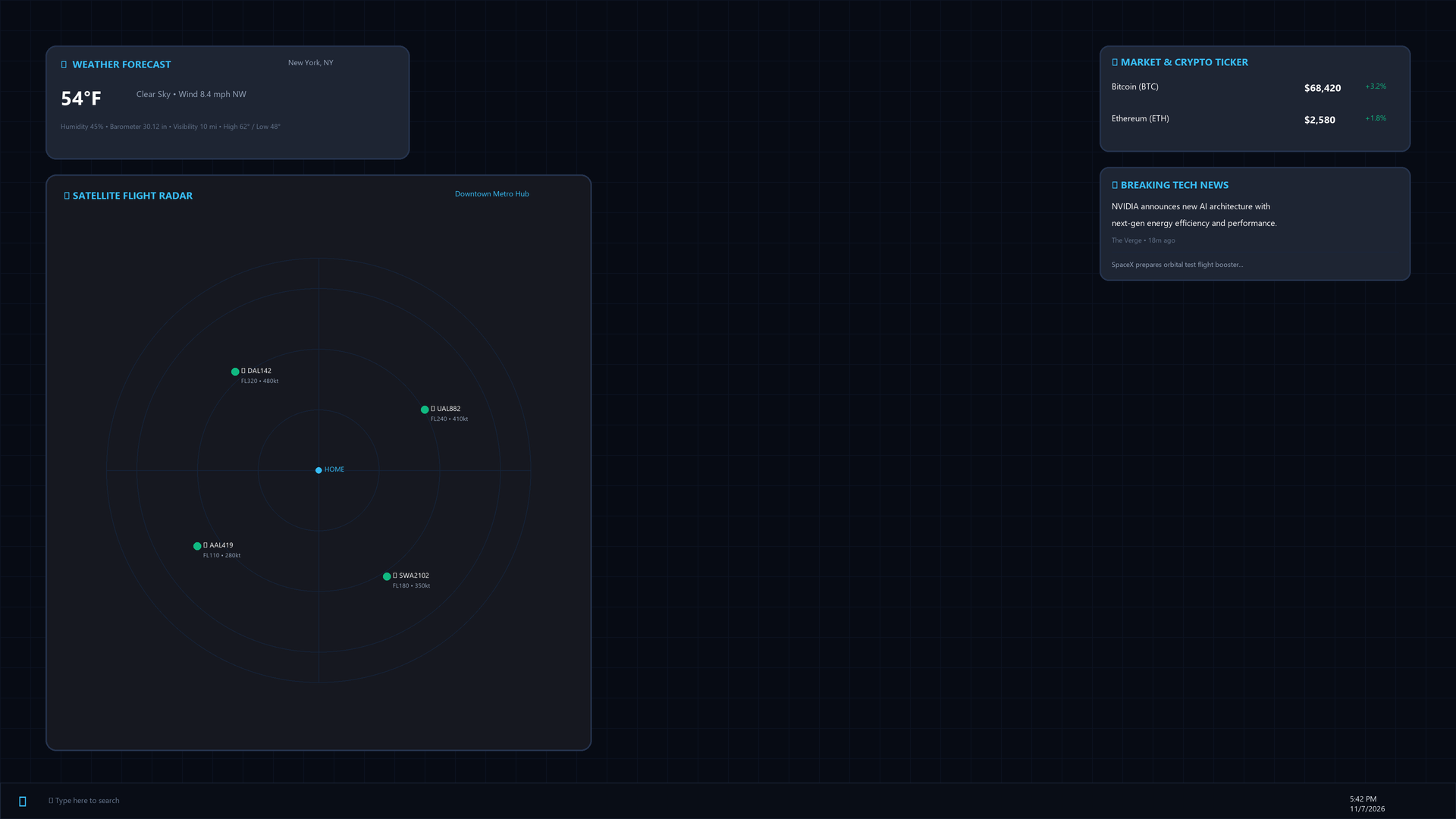
Live Satellite Flight Radar

Scans real aircraft transponder signals overhead centered on your home city or airport with flight numbers, altitudes, and headings rendered on an aviation radar grid.

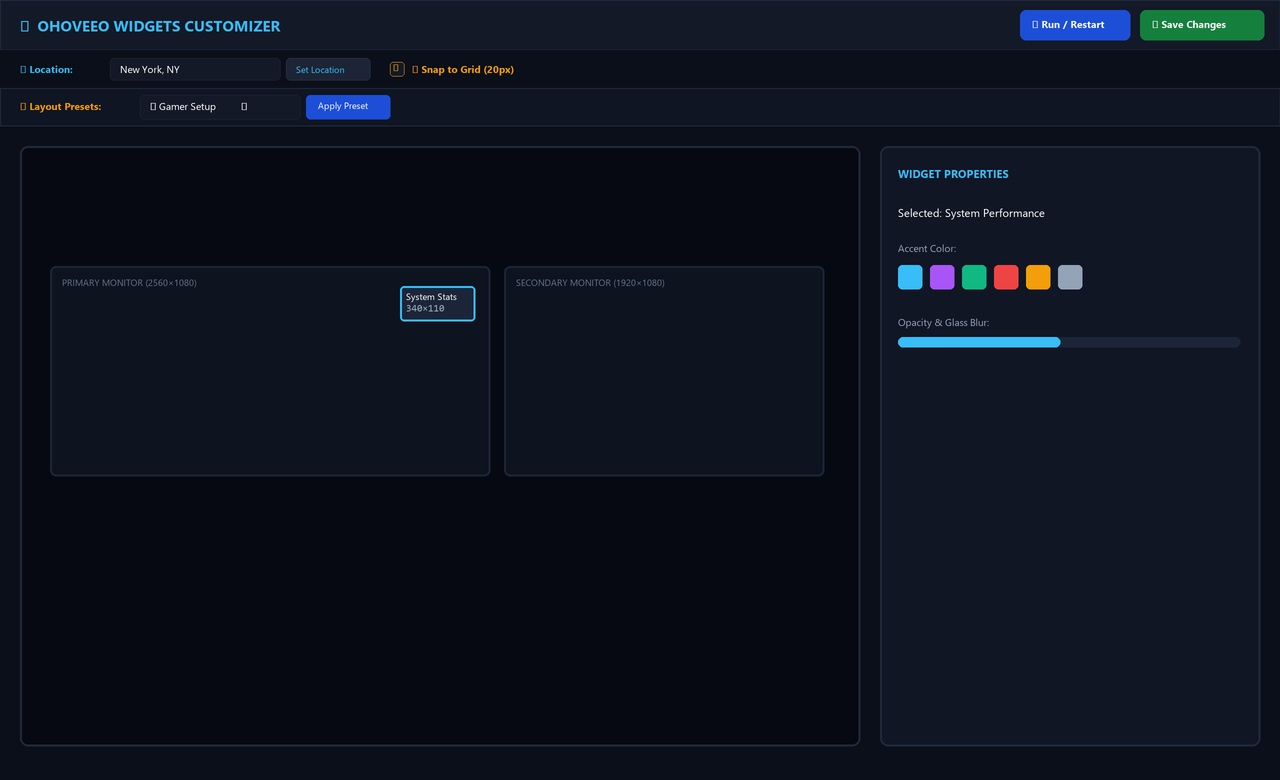
Visual Drag & Nudge Customizer

Interactive preview canvas supporting dual monitors and ultrawides. Position widgets using drag-and-drop, on-screen D-Pad buttons, or precision keyboard arrow keys.

Custom Aesthetic Themes & Colors

Switch between Sky Blue, Electric Purple, Emerald Green, Crimson Red, Amber Gold, or Silver with 1 click. Adjust glass transparency and background blur on the fly.

Zero-Install Portable Architecture

No messy registry changes, no hidden telemetry services, and no bloat. Unzip the folder anywhere and launch it with 1 click. Everything stops cleanly when you close it.

31 Fully Configurable Widgets

Mix and match widgets across five diverse categories to create your ideal command center.

โšกSystem

System Performance

Real-time visual meters for CPU %, RAM %, and GPU core utilization with thermal readouts.

๐Ÿ’พSystem

Disk Space Monitor

Instant percentage bar of C: drive and extra drives showing GB used and free space.

๐Ÿ“ถSystem

Network Speed & Ping

Live upload & download transfer speeds (MB/s) and local router gateway ping latency.

๐Ÿ”‹System

Battery & Power State

Laptop power percentage, charging AC status, and estimated remaining battery runtime.

๐Ÿ”ŠSystem

Master Volume Slider

Interactive on-wallpaper audio percentage bar with direct 1-click Windows mixer launcher.

๐Ÿ’ปSystem

PC Specs & Uptime

Processor name, RAM size, GPU model, and current Windows system running uptime counter.

๐Ÿ—‘System

Recycle Bin Manager

Live file count and total size in trash with a 1-click desktop bin emptier shortcut.

๐ŸŽฎGaming

Steam Activity

Your avatar, current game status, 2-week hours played, and profile level badge.

๐Ÿš€Gaming

Quick Game Launcher

1-click launch buttons for Steam, Roblox, Epic Games, Riot Client, Discord, and Spotify.

โ–ถGaming

YouTube Live Subs

Live real-time subscriber counter and channel verification badge for your YouTube channel.

๐ŸŸฃGaming

Twitch Streamer Live

Notifies you when your favorite creator goes live with game title and current viewer count.

๐Ÿ’ฌGaming

Discord Presence

Shows online tag, custom status text, and voice channel connection state indicator.

๐Ÿค–Gaming

Reddit Trending

Top trending viral headlines, upvote counts, and subreddit discussions updated hourly.

๐Ÿ™Gaming

GitHub Stats & Stars

Displays public repositories, total starred repos, and commit activity frequency.

โฐTime

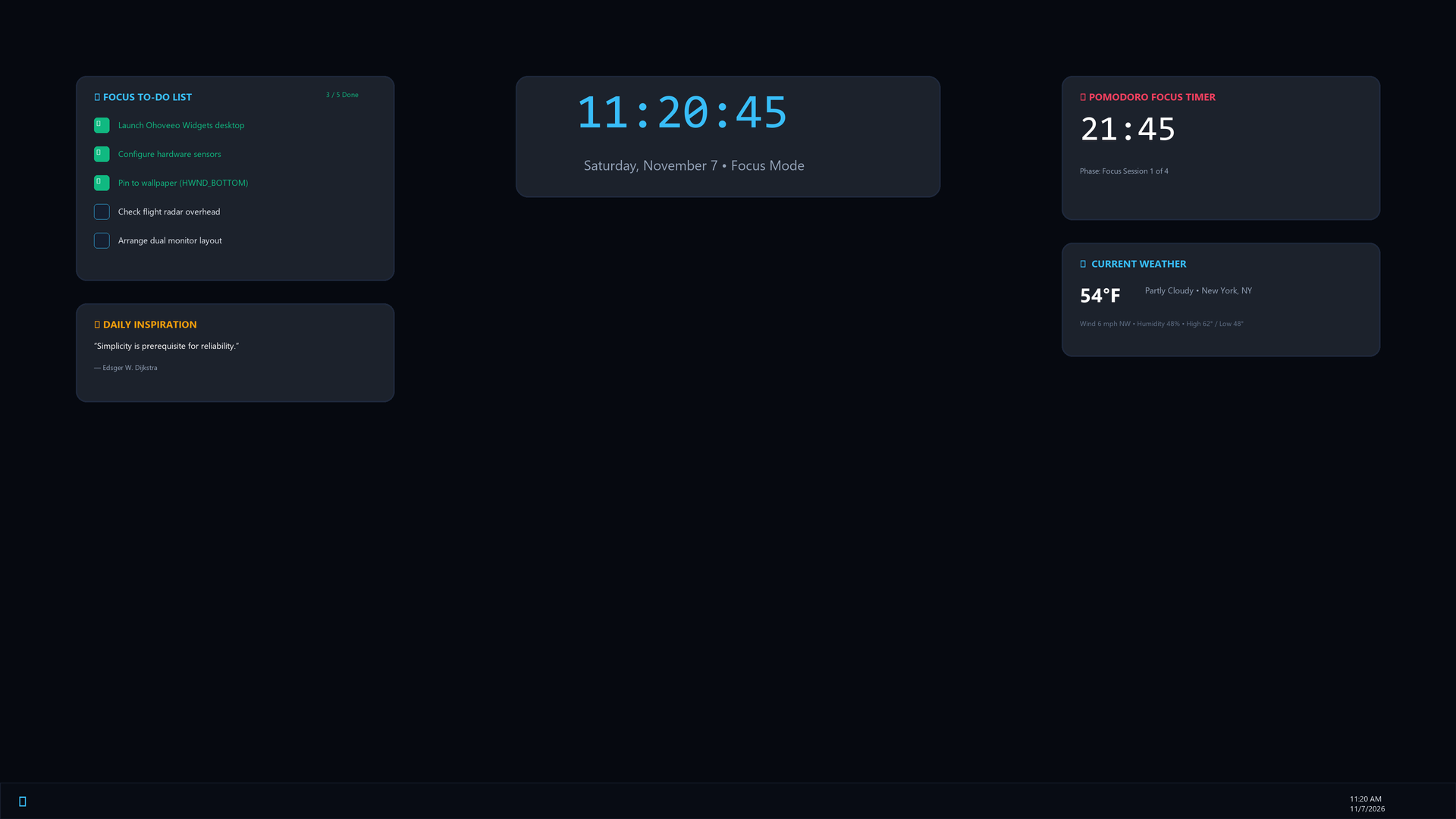
Modern Digital Clock

High-contrast digital clock with seconds, day of the week, and full date display.

๐ŸŒTime

World Time Clock

Simultaneous time zones for New York, London, Tokyo, and your custom selected cities.

โฑTime

Precision Stopwatch

Desktop stopwatch with 1-click start, pause, split lap, and reset controls.

โณTime

Pomodoro Focus Timer

25-minute productivity sprints paired with 5-minute break timers and cycle counter.

๐Ÿ“Time

To-Do Sticky Notes

Desktop task checklist with clickable completion checkboxes and item strike-throughs.

๐Ÿ’กTime

Daily Quote

Curated motivational and philosophical quotes refreshed daily with author credits.

๐Ÿ“šTime

Wikipedia On This Day

Fascinating historical events and breakthroughs that happened on today's calendar date.

๐Ÿ›ฐRadar

Satellite Flight Radar

Live aviation radar tracking commercial flights overhead centered on your coordinates.

โ˜Radar

Weather Forecast

Live temperature (ยฐF/ยฐC), sky conditions, humidity, barometric pressure, and wind speed.

๐Ÿ“ˆRadar

Crypto & Market Ticker

Live Bitcoin (BTC) and Ethereum (ETH) prices with 24-hour green/red percentage change.

๐Ÿ“ฐRadar

Breaking Tech News

Live RSS headline feed from premier tech outlets with timestamps and summaries.

๐ŸŒRadar

IP & Speedtest Info

Public IPv4/IPv6 address, ISP hostname, and 1-click shortcut to Speedtest.net.

๐Ÿ–ผTools

Photo Album Slideshow

Cycles through your favorite photos including iPhone .HEIC, JPG, and PNG formats.

โšกTools

Quick App Launcher

Pinned shortcuts to launch your favorite games, system folders, scripts, and utilities.

๐ŸŽตTools

Now Playing Media Card

Currently playing Spotify/YouTube title, artist, album art, progress bar, and play/pause.

๐Ÿ“‹Tools

Desktop Scratchpad

Quick multi-line persistent scratchpad for code snippets, phone numbers, and notes.

๐ŸงฎTools

Instant Math Calculator

Type any math expression directly on your wallpaper for instant calculated results.

Up and Running in Under 10 Seconds

No complicated installer. Just 3 simple batch shortcuts in the folder.

01
๐Ÿ“ฆ

Download & Extract

Click Download below and extract the DesktopWidgets_ForFriends.zip archive into any folder on your PC.

02
๐Ÿš€

Double-Click "1 - Start Widgets.bat"

Instantly verifies dependencies, launches all widgets pinned behind your windows, and opens the Customizer.

03
๐ŸŽจ

Customize & Enjoy

Pick a preset (Gamer, Radar, Minimalist), drag widgets into place, select accent colors, and hit Save Changes!

๐Ÿ“ The 3 Main Shortcuts Included In Your Download:
1 - Start Widgets.bat Starts background widget daemon and opens Customizer
2 - Open Customizer.bat Reopens visual positioning & aesthetic control panel anytime
3 - Stop Widgets.bat Completely closes all running widgets cleanly with 1 click

Get Ohoveeo Widgets Now

Download the complete portable zip archive. Compatible with Windows 10 & 11 (64-bit). Pre-configured with all 31 widgets, radar scripts, and visual customizer.

๐Ÿท๏ธ Currently Downloading: Version One (v1.0)
โœ“ Verified Safe & Clean โœ“ Zero Telemetry / Spyware โœ“ Open Python Source Code โœ“ Windows 10 & 11 Compatible

System Requirements

  • OS: Windows 10 or 11 (64-bit)
  • RAM: ~120 MB when active
  • Displays: Supports 1 to 4 monitors
  • Resolution: 1080p, 1440p, 4K & Ultrawide
  • Runtime: Python 3.9+ (Checked automatically)

Frequently Asked Questions

Yes, absolutely! The widgets are programmatically pinned to the Windows wallpaper layer using the Windows API HWND_BOTTOM call. Whenever you open a browser, Discord, or launch a game in windowed or borderless fullscreen, the widgets stay neatly behind it without interrupting gameplay or mouse clicks.

The 1 - Start Widgets.bat launcher automatically checks for Python. If it's missing, it gives you a direct 1-click prompt to install Python from the official Windows store or Python.org. Once installed, it automatically fetches required libraries with zero configuration.

Yes! Simply double-click 2 - Open Customizer.bat. You get an interactive preview canvas where you can drag widgets around, nudge them pixel-by-pixel with your keyboard arrow keys, snap them to a 20px grid, choose your accent color, and save your custom layout as a preset.

The radar widget queries live ADS-B open transponder feeds within a 25-mile radius of your specified coordinates (e.g. your hometown or closest airport). It displays aircraft tail numbers, altitudes, headings, and aircraft icons moving in real time across an aviation compass.

Yes! In the Customizer header, there is an "Auto-run on Boot" checkbox. Check it and click "Save Changes", and a silent startup shortcut is automatically placed into your Windows Startup folder.